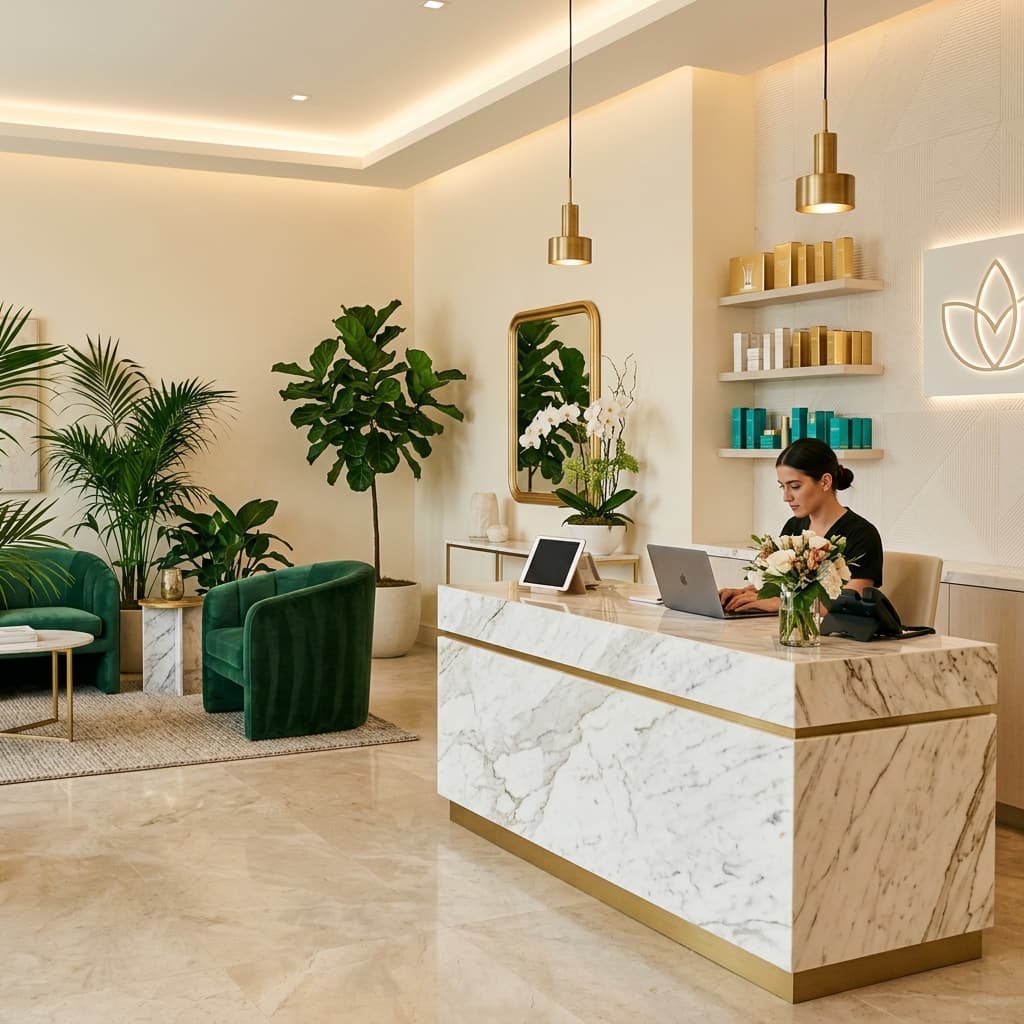
Built for Miami med spas

Bilingual call and booking recovery for Miami med spas.

Avalora supports your front desk by capturing missed calls, after-hours inquiries, English/Spanish patient requests, and booking intent — then routing clean details back to your team.

Front desk support. Clinic-approved FAQs. Human escalation when needed.

  • Built for Miami med spas
  • English/Spanish intake
  • Front desk support, not replacement
  • After-hours capture
  • Clinic-approved FAQs
  • Human escalation
  • Clean staff handoff

Hear how Avalora handles a real med spa inquiry.

Listen to a calm, clinic-approved intake flow for a high-intent after-hours Botox or filler inquiry — then see the exact summary your front desk receives.

After-hours Botox/filler inquiry

[DEMO VIDEO PLACEHOLDER — insert final Avalora demo video later]

Hear the Demo
PatientHi, I wanted to ask about Botox or filler appointments this week. Are you open tomorrow?
AvaloraI can help collect a few details for the team. Are you a new or returning patient, and do you have a preferred time?

Captured Details

Treatment interest
Botox or filler
Patient type
New patient
Preferred time
Tomorrow afternoon
Question type
Availability and consultation request
Next step
Front desk review

Staff Handoff

Patient is interested in Botox/filler consultation this week. New patient. Prefers tomorrow afternoon. Please review availability and call back.

Book a Private Fit Call

Demo examples use simulated or anonymized patient scenarios only.

Quick Answers

Avalora is a lead recovery and patient communication layer for Miami med spas. It supports front desk teams by capturing missed calls, after-hours inquiries, English/Spanish patient requests, forms, DMs, and booking intent, then routing clean details back to staff.

Avalora is built for Miami med spa owners, owner-injectors, practice managers, and aesthetic clinic operators who want faster patient response, fewer missed booking opportunities, and front desk relief without replacing the human patient experience.

Avalora does not replace receptionists, provide medical advice, diagnose patients, guarantee bookings, or force every clinic into the same workflow. It follows clinic-approved FAQs, captures structured information, and escalates sensitive questions back to the clinic team.

The leak usually happens between interest and booking.

Your clinic may already be creating demand through Instagram, Google, ads, referrals, website forms, treatment education, and patient word-of-mouth.

The problem is what happens next.

Calls ring while staff checks in patients. Forms wait for a callback. Instagram DMs get buried. Spanish-speaking inquiries create bottlenecks. After-hours patients keep searching.

Booking intent never becomes a clean staff task.

Your front desk is not slow. It is overloaded.

Where booking intent leaks

Missed calls

High-intent consult calls can disappear into voicemail while your team is with patients.

Slow callbacks

A patient asking about Botox after hours may keep searching within minutes.

Buried DMs and forms

Instagram, ads, and website forms create interest. That interest still needs a response system.

Bilingual gaps

Miami patient demand often moves in English and Spanish. Response speed matters in both.

Unclear handoff

If treatment interest, timing, urgency, and contact details are not captured cleanly, your team has to chase.

Capture the patient inquiries your team cannot always reach in time.

Avalora gives your front desk a controlled capture layer for the moments that usually slip: missed calls, after-hours inquiries, DMs, forms, booking questions, and follow-up requests.

Missed-call recovery

When the front desk misses a call, Avalora captures the patient's intent, treatment interest, contact details, and preferred time so your team has a clean next step.

Good for: High-intent consult calls, voicemail leakage, missed callbacks, and new patient inquiries.

Speed-to-lead for ads, forms, and DMs

When someone submits an inquiry, Avalora helps respond before the lead goes cold.

Good for: Instagram inquiries, Facebook lead forms, website forms, Google Business Profile calls, website clicks, or lead sources where configured.

After-hours capture

When your clinic is closed, Avalora captures the inquiry instead of letting it sit in voicemail.

Good for: Evening Botox questions, filler consultation requests, laser package inquiries, and next-day follow-up tasks.

Booking request intake

Avalora collects treatment interest, preferred date and time, new or returning patient status, urgency, and notes for staff.

Good for: Neuromodulator consultations, dermal filler inquiries, RF microneedling series, IPL photofacial requests, GLP-1 consultations, and injectable appointments.

Bilingual Miami intake

Avalora supports English/Spanish patient intake where your clinic needs it, helping Spanish-speaking inquiries receive a clear, warm next step.

Good for: Spanish-speaking booking requests, bilingual patient communication, and Miami med spa lead recovery.

Human escalation and clean handoff

Clinical questions, urgent concerns, provider-specific requests, and sensitive issues can be routed back to your team with a structured summary.

Good for: Clinic-approved boundaries, human review, staff summaries, and front desk alerts.

Available supporting workflows

  • Confirmations
  • Reminders
  • Reschedule/cancel intake
  • Post-treatment follow-up
  • Compliant review request workflow (where approved by clinic policy)
  • Consent-based call/SMS follow-up (where configured)
  • SMS or WhatsApp workflows (where your clinic’s process supports them)

Why Avalora Is Different

Generic AI receptionistAvalora
Leads with "AI answering"Leads with missed-call and booking recovery
Can feel like staff replacementSupports the front desk, not replacement
Often uses generic scriptsFollows clinic-approved FAQs, tone, and rules
Tries to answer broadlyCaptures booking intent and escalates sensitive questions
May overpromise automationUses clean handoffs and deeper workflows where supported
Feels like SaaS or call center softwareFeels like a premium patient communication layer
Focuses on calls onlyCan support missed calls, after-hours, forms, DMs, and follow-up workflows where configured
Pushes "24/7 automation"Protects patient experience with human escalation
Generic AI receptionistLeads with "AI answering"
AvaloraLeads with missed-call and booking recovery
Generic AI receptionistCan feel like staff replacement
AvaloraSupports the front desk, not replacement
Generic AI receptionistOften uses generic scripts
AvaloraFollows clinic-approved FAQs, tone, and rules
Generic AI receptionistTries to answer broadly
AvaloraCaptures booking intent and escalates sensitive questions
Generic AI receptionistMay overpromise automation
AvaloraUses clean handoffs and deeper workflows where supported
Generic AI receptionistFeels like SaaS or call center software
AvaloraFeels like a premium patient communication layer
Generic AI receptionistFocuses on calls only
AvaloraCan support missed calls, after-hours, forms, DMs, and follow-up workflows where configured
Generic AI receptionistPushes "24/7 automation"
AvaloraProtects patient experience with human escalation

Many clinics search for an AI receptionist. Avalora is different. It is a controlled lead recovery and front desk support layer built to capture missed calls, after-hours inquiries, bilingual requests, and booking intent — without replacing the receptionist.

What Avalora captures — and where it goes.

Every inquiry type is handled with structure. Details are collected, organized, and routed back to your team — nothing is lost.

Inquiry TypeWhat Avalora CapturesWhere It Goes
Missed callName, phone, treatment interest, urgencyFront desk summary
After-hours inquiryTreatment, preferred time, new/returning patient statusNext-day follow-up task
Instagram DM or formSource, interest, contact detailsStaff alert or CRM-light task
Spanish-speaking inquiryLanguage, request, booking intentBilingual handoff summary
Reschedule/cancel requestAppointment need, reason, timingHuman review
Follow-up requestPatient need, timing, notesStaff summary

Missed call

What Avalora CapturesName, phone, treatment interest, urgency
Where It GoesFront desk summary

After-hours inquiry

What Avalora CapturesTreatment, preferred time, new/returning patient status
Where It GoesNext-day follow-up task

Instagram DM or form

What Avalora CapturesSource, interest, contact details
Where It GoesStaff alert or CRM-light task

Spanish-speaking inquiry

What Avalora CapturesLanguage, request, booking intent
Where It GoesBilingual handoff summary

Reschedule/cancel request

What Avalora CapturesAppointment need, reason, timing
Where It GoesHuman review

Follow-up request

What Avalora CapturesPatient need, timing, notes
Where It GoesStaff summary

Your front desk stays human. Avalora catches what they miss.

Your receptionist is doing more than answering phones.

She is checking in patients, managing payments, calming nervous clients, updating provider schedules, handling DMs, and still trying to answer every call.

Avalora adds a controlled capture layer around the moments your team cannot reach fast enough: overflow calls, missed calls, after-hours inquiries, repetitive booking questions, and follow-up requests.

Avalora helps your team:

  • Support patients faster
  • Reduce front desk pressure
  • Capture overflow and after-hours interest
  • Route clean summaries back to staff
  • Keep human escalation in place
  • Protect the patient experience

This is not receptionist replacement.

It is front desk support for the moments demand moves faster than the team can respond.

Med spa front desk reception area with staff assisting patients

Built around your current booking flow, not forced on top of it.

Learn

We map your services, FAQs, booking rules, tone, escalation preferences, language needs, consent language, and front desk workflow.

  • Services and treatment categories
  • Approved FAQs
  • Booking rules
  • Provider preferences
  • Language needs
  • Escalation boundaries
  • Call recording and disclosure preferences
  • Consent and opt-out language
  • Staff handoff preferences

Capture

Avalora captures missed calls, overflow calls, after-hours inquiries, form leads, ad leads, DMs where configured, and booking requests.

  • Missed calls
  • Overflow calls
  • After-hours inquiries
  • Website forms
  • Ad leads
  • Instagram DMs where configured
  • Reschedule or cancellation requests

Qualify

Avalora collects the details your team needs: name, phone, treatment interest, preferred time, patient type, urgency, and notes.

  • Name
  • Phone
  • Email if needed
  • Treatment interest
  • Preferred date/time
  • New or returning patient
  • Urgency
  • Source of inquiry
  • Notes for staff

Handoff

Your team receives a clean summary through the workflow that fits your clinic: staff alert, email, SMS, CRM-light task, spreadsheet, dashboard, or deeper integration where supported.

  • Front desk alert
  • Staff email
  • SMS notification
  • CRM-light handoff
  • Google Sheet or Airtable
  • Dashboard view
  • Daily summary
  • Deeper workflow where supported

English/Spanish intake for Miami patient demand.

Miami med spas often serve patients who move between English and Spanish. Response speed matters in both.

Avalora helps capture Spanish-speaking inquiries, answer only clinic-approved basics, and route the right details back to your team.

Bilingual workflows can support:

  • English/Spanish patient communication
  • Spanish-speaking booking requests
  • Treatment interest and preferred time capture
  • Clinic-approved answers only
  • Human escalation when needed
  • Bilingual handoff summaries

SMS and call workflows are the default. WhatsApp can be added where it fits your clinic's process.

Intake Summary

Patient Name

Maria Gutierrez

Treatment Interest

Botox — Forehead and crow's feet

Preferred Time

Thursday afternoon

Patient Type

Returning patient

Inquiry Source

Missed call — after hours

Ready for staff review
Routed to front desk for review

Your CRM only helps after the lead is captured.

Avalora helps catch the calls, forms, DMs, and after-hours inquiries your systems may never see.

Med spa systems vary. Some support deeper integrations. Others need cleaner alerts, summaries, tasks, spreadsheets, or front desk handoffs first.

Avalora is built to work around your current workflow instead of forcing a new one on your team.

Inquiry Sources

📞Phone Calls
📋Website Forms
💬Instagram DMs
🌙After-Hours
📱SMS / WhatsApp
AvaloraCapture & Route

Handoff Options

CRM-light handoff
Staff summaries
Front desk alerts
Structured booking request data
Email or SMS notifications
Spreadsheet or dashboard summaries
Deeper workflows where supported

No universal integration promise. The private fit call identifies what should be captured, where it should go, and how your team should stay in control.

Controlled, clinic-approved, and built to escalate.

Avalora is designed for patient communication boundaries, not open-ended medical conversation.

Clinic-approved FAQs

Avalora follows your approved services, FAQs, tone, and booking rules.

Not medical advice

Avalora does not diagnose, recommend treatment, or replace clinical judgment.

Human escalation

Sensitive, urgent, clinical, or provider-specific requests can be routed back to your team.

Staff summaries

Your team receives structured details instead of messy voicemail fragments.

Workflow control

Avalora is configured around your clinic's rules, not a generic script.

HIPAA-aware workflows

Avalora is designed for controlled, clinic-approved patient communication. Where protected health information is involved, Avalora supports BAA-backed workflows, approved FAQs, human escalation, structured summaries, and careful handoff rules.

Avalora does not provide medical advice, diagnose patients, recommend treatments, determine treatment eligibility, or replace clinical judgment. Clinical, urgent, sensitive, provider-specific, or unclear questions are routed back to the clinic team.

Review HIPAA & Security

See the booking leak hiding in your call flow.

Estimate how much appointment opportunity may be slipping through missed calls, slow callbacks, after-hours inquiries, and unfinished booking requests.

The Booking Leak Check looks at:

  • Missed calls
  • Slow callbacks
  • After-hours inquiries
  • Website form response
  • Ad lead response
  • English/Spanish inquiry flow
  • Booking request completion

No exact revenue promise. Just a practical way to see where patient demand may be slipping before booking.

Built around your clinic's workflow.

Avalora plans are scoped around your call volume, bilingual needs, after-hours demand, booking workflow, handoff rules, and integration complexity.

Every clinic handles calls, DMs, forms, booking requests, and follow-ups differently. Your Avalora plan is built after a private fit call so we can understand what needs to be captured, where it should be routed, and how your front desk should stay in control.

Your plan may be based on:

  • Monthly call volume
  • Missed-call recovery needs
  • After-hours demand
  • English/Spanish support
  • Ad/form/DM response
  • Booking request intake
  • Front desk handoff
  • Escalation rules
  • Consent and disclosure requirements
  • CRM-light setup
  • Deeper integrations where supported
  • Follow-up and review workflows

During the private fit call, we also review consent requirements, call recording preferences, handoff rules, vendor requirements, and whether BAA-backed workflows are needed.

Book a Private Fit Call

15 minutes. We review your call volume, patient communication flow, bilingual needs, and missed booking opportunities.

Your plan is recommended after we understand your call volume, booking flow, bilingual needs, handoff rules, and workflow complexity.

Built from real med spa workflow research.

After studying how Miami med spas handle calls, DMs, booking requests, Spanish-speaking inquiries, and follow-ups, we built Avalora around one belief:

No high-intent patient inquiry should disappear because the front desk was busy.

Avalora is designed to support your staff, protect the patient experience, and turn interest into a cleaner next step.

Frequently Asked Questions

Product

No. Avalora supports your front desk by catching overflow, missed, and after-hours inquiries. Your team stays in control.

Yes, where configured. Avalora can support English/Spanish intake for Miami med spas, capture booking details, and route the right summary back to your team.

No. Avalora does not diagnose, recommend treatment, or replace clinical judgment. It follows clinic-approved FAQs and routes clinical questions to your team.

Avalora can start with clean handoffs, alerts, summaries, tasks, or structured exports. Deeper workflows may be supported depending on your systems.

Avalora can escalate sensitive, urgent, clinical, provider-specific, or unclear requests to your team with a structured summary.

Yes. Avalora should be configured around your approved services, FAQs, tone, boundaries, and escalation rules.

Workflow

The final timeline depends on your workflow, services, language needs, handoff rules, and integration requirements. The private fit call identifies the correct setup path.

Avalora can be configured for missed calls, overflow, after-hours inquiries, form leads, DMs, or specific workflows. It does not have to replace your normal front desk flow.

Avalora can support DM or SMS/WhatsApp workflows where configured, but the first priority is building a reliable capture and handoff system around the clinic's real workflow.

We review your call flow, missed-call process, after-hours demand, bilingual needs, booking workflow, CRM/EMR setup, consent requirements, and where patient inquiries currently leak.

Yes, where configured. Avalora can support reminders, reschedule/cancel intake, post-treatment follow-up, and compliant review request workflows where approved by clinic policy.

Pricing

Plans are based on call volume, language needs, workflow complexity, handoff requirements, and whether deeper integrations or follow-up workflows are needed.

Compliance & Security

Avalora supports HIPAA-aware workflows and BAA-backed deployment where protected health information is involved. Workflows are configured around clinic-approved FAQs, human escalation, structured summaries, and controlled handoff rules.

Yes, where protected health information is involved. During onboarding, Avalora reviews the data flow, vendor chain, storage, routing, access rules, and agreement requirements before launch.

Avalora can provide vendor security documentation where available. If voice infrastructure is supported by SOC 2-audited vendors, documentation can be reviewed during onboarding.

Let your front desk stay focused while Avalora catches the missed moments.

If your clinic is already creating demand, the next step is protecting the path from inquiry to booked appointment.

Hear the demo, see the handoff, and decide whether Avalora fits your workflow.

Built for Miami med spas. Scoped around your workflow. No public package forced on your clinic.

BAA-backed workflows available where protected health information is involved. Call recording, SMS follow-up, and patient handoff rules are configured during onboarding.